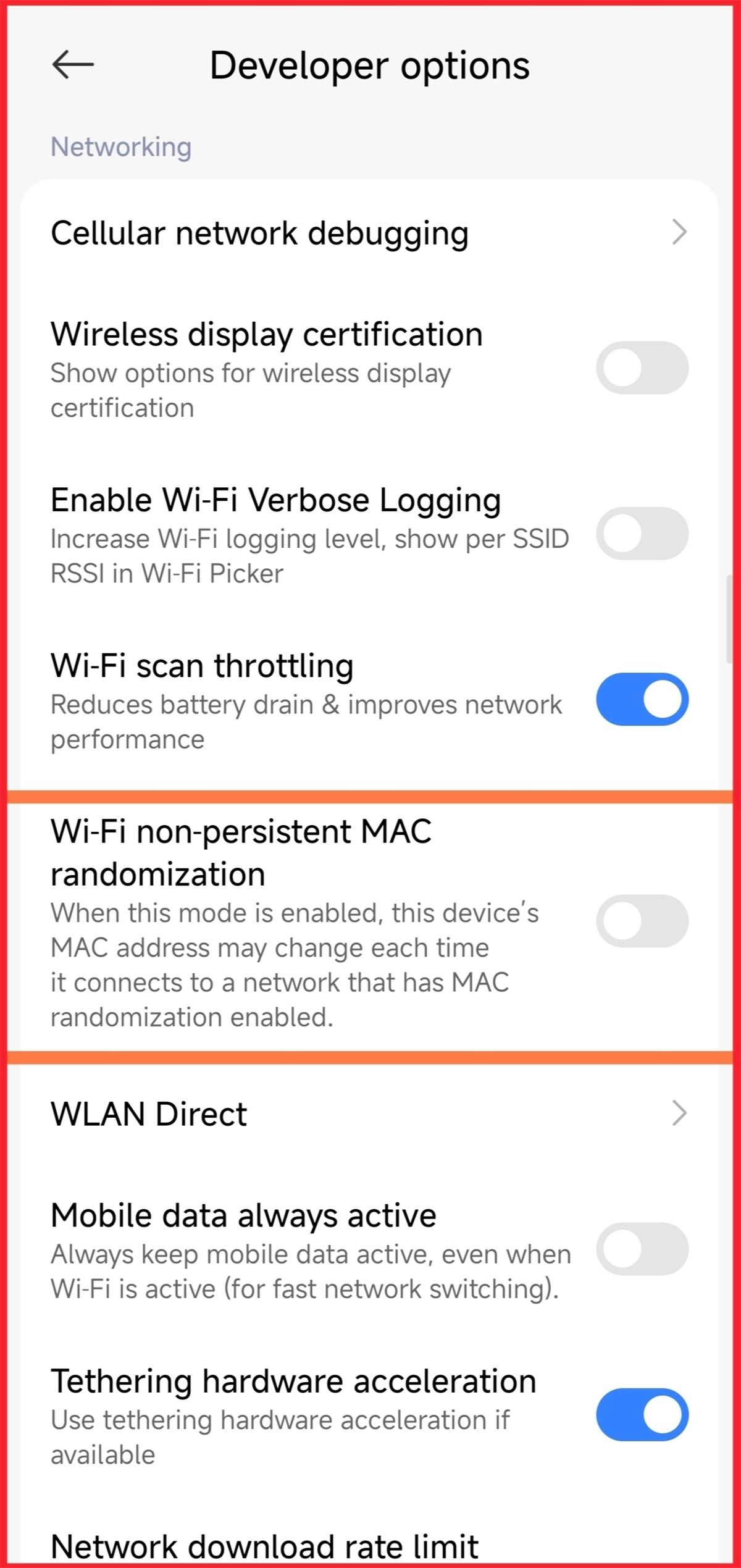
Why MAC blocking can fail
When you block a device on your router, it blocks that specific MAC address. But many modern Android phones can randomize their MAC address for privacy. That means the blocked user can appear as a new device and reconnect.
How the bypass happens (simple steps)
- They enable Developer Options (Settings → About → tap Build Number several times).
- They turn on the setting that randomizes the MAC address.
- They “Forget” your Wi‑Fi network and reconnect.
- The phone shows a new MAC address, so the old block doesn’t apply.
What you should do instead (quick & effective)
- Change your Wi‑Fi password — fastest and most reliable fix.
- Kick out all devices and require the new password to reconnect.
- Disable WPS and update router firmware if available.
- Use WPA2/WPA3 security with a strong passphrase.
Short answer
Blocking by MAC can be bypassed. If you suspect someone is back on your network, change the password and tighten your router settings. Stay safe.
Safety note: This post is for defensive awareness only. Use this knowledge to protect your own networks and follow the law.